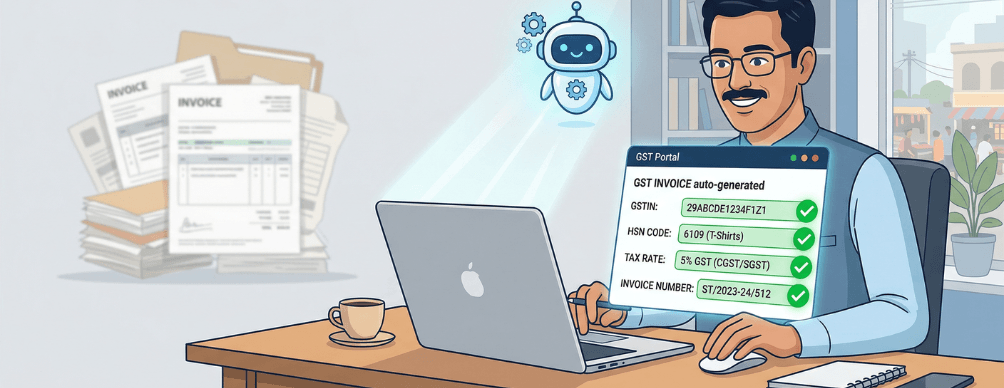
Ask any Indian online seller what their least favourite part of running a business is, and GST invoicing comes up often. Not because business owners do not understand why it is important, but because doing it manually every day is the kind of work that pulls you away from the things that actually grow your business. The situation is familiar. An order comes in at 10 pm. You need to generate a compliant invoice, ensure it has the right GSTIN, the correct HSN code, the right tax split between CGST and SGST or IGST depending on whether the buyer is in the same state or a different one, a sequential invoice number, and your digital signature or seal. Then the next order arrives. And the next. When your store is doing 20 orders a month, manual invoicing is manageable. When it is doing 200, it becomes a bottleneck. And when you add the compliance risk of a single incorrect field, the pressure compounds further. This guide explains what automated GST invoicing means in practice, what Indian law requires on every invoice, and how to set it up correctly for your online store so that every order generates a compliant invoice without you having to touch it.
Why Manual GST Invoicing Becomes a Liability as You Scale
Manual invoicing works until it does not. The problems that appear are predictable and they get more expensive the longer they go unaddressed.
Incorrect Tax Type: IGST vs CGST plus SGST
Indian GST law requires that intrastate sales (where your business and the buyer are in the same state) use CGST and SGST split equally. Interstate sales use IGST. When you are generating invoices manually for each order, it is easy to apply the wrong tax type, especially during high-volume periods. An incorrect tax split on an invoice means the buyer cannot claim the correct Input Tax Credit, and you may face scrutiny during return reconciliation.
Sequential Invoice Numbering Errors
GST regulations require a unique sequential invoice number within a financial year. Manual numbering, especially across a team, can lead to duplicate numbers, gaps in the sequence, or numbering that restarts when it should not. Any of these can trigger queries during a GST audit.
Missing or Incorrect HSN Codes
Every product you sell must carry the correct Harmonized System of Nomenclature code on its invoice. As per GST compliance guidelines, businesses with turnover above Rs. 5 crore must include 6-digit HSN codes, while businesses below that threshold use 4-digit codes. Applying the wrong HSN code means the wrong tax rate may be applied, which is a compliance error that can affect both you and your buyer.
Late Invoice Generation
GST law prescribes specific timelines for issuing invoices. For goods, the invoice must be issued at the time of or before delivery. For services, the timeline is within 30 days of service completion. Manual processes that queue invoice generation as an end-of-day task risk falling outside these timelines, which creates a compliance gap.
E-Invoice Requirements for Growing Businesses
If your business turnover crosses Rs. 5 crore in any financial year, e-invoicing becomes mandatory under GST rules. This means invoices must be generated in a format that can be uploaded to the Invoice Registration Portal to receive an Invoice Reference Number and a QR code. Businesses near or approaching this threshold need a system that can handle e-invoicing before they reach the limit, not after.
What Every GST Invoice for an Online Store Must Contain
Before setting up automation, it helps to understand what a compliant GST invoice must include. According to the GST Act and CGST Rules, the following are mandatory fields on every tax invoice:
| Mandatory Invoice Field | What It Means for Your Online Store |
| Supplier name, address, GSTIN | Your registered business details as they appear on your GST certificate |
| Invoice number (unique, sequential) | A running number that does not repeat within the financial year |
| Invoice date | Date of issue, which must align with GST s timeline rules for goods and services |
| Recipient name, address, GSTIN (if registered) | Required for B2B invoices; for B2C above Rs. 50,000, the buyer s address is needed |
| Place of supply (state code) | Determines whether CGST+SGST or IGST applies |
| HSN code | Assigned to every product based on its classification under Indian customs |
| Item description, quantity, and unit | Exact product details matching what was ordered |
| Taxable value and applicable discounts | The price before tax, with any discounts deducted |
| GST rate and tax amount (CGST/SGST or IGST) | Correctly split based on whether the transaction is interstate or intrastate |
| Total invoice value in words and figures | Both representations are required |
| Signature or digital signature of the supplier | Physical or digital, per the Information Technology Act 2000 |
For businesses operating an e-invoice system (turnover above Rs. 5 crore), the invoice must additionally carry the IRN (Invoice Reference Number) and a QR code generated by the Invoice Registration Portal.
What Automated GST Invoicing Actually Means
Automated GST invoicing means that every time an order is confirmed in your online store, a fully compliant invoice is generated, filled, numbered, and delivered to the buyer without any manual action on your part. The automation handles the fields that are most error-prone in manual workflows: it reads the buyer s state from the shipping address to determine whether to apply CGST plus SGST or IGST, it pulls the correct HSN code from your product configuration, it assigns the next sequential invoice number automatically, and it applies the correct GST rate based on your product setup. The only input required from you is the one-time configuration of your products and tax settings.
| Invoice Step | Manual Process | With Automation |
| Tax type selection | You check buyer state and decide IGST vs CGST+SGST | Auto-detected from shipping address |
| HSN code application | You look up and enter code per product | Pre-configured per product, applied automatically |
| Invoice numbering | Manual entry, risk of duplicates | Sequential, system-generated, no gaps |
| Invoice generation | Created after order, often end-of-day | Instant, at order confirmation |
| Buyer delivery | Manually emailed or WhatsApp sent | Auto-delivered to buyer email or app |
| Return filing alignment | Manually reconciled with GSTR-1 | Data flows directly into return records |
How to Set Up Automated GST Invoicing on Your Zyfoo Store
Setting up automated GST invoicing on Zyfoo is a one-time configuration process. Once complete, every order your store receives generates a compliant invoice without further input. The steps below walk through the full setup.
- Add Your Business GST Details
Navigate to Settings in your Zyfoo dashboard and enter your GSTIN, registered business name, and business address exactly as they appear on your GST registration certificate. This information is the supplier detail block that appears on every invoice your store generates. Any mismatch between your Zyfoo settings and your GST certificate can cause compliance issues during return reconciliation.
- Configure HSN Codes and GST Rates for Your Products
For each product in your catalog, go to the product settings and assign the correct HSN code and the applicable GST rate. If you are unsure of the correct HSN code for a product, the GST Council s HSN search tool on the government portal can help you identify the right classification. Zyfoo applies these codes automatically to every invoice generated for that product. You set it once per product, and the system handles every order from that point forward.
- Set Up Your Invoice Template and Numbering Series
In the Billing section of your Zyfoo dashboard, configure your invoice prefix (such as your business abbreviation or the financial year), the starting invoice number, and the format you prefer for the invoice number sequence. Zyfoo increments the invoice number automatically with each order so your sequence is always unbroken. You can also add your business logo, bank details for prepaid orders, and terms and conditions to the invoice template at this stage.
- Enable Automatic Invoice Generation on Order Confirmation
In your order settings, turn on the option to auto-generate and send invoices at order confirmation. This setting ensures that the moment a customer s payment is confirmed, their invoice is created and sent to their registered email address and also made available in the order detail view in your Zyfoo dashboard. You do not need to return to the order to manually create the invoice.
- Configure Credit Notes for Returns
For every return or refund your store processes, a credit note must be issued under GST to reverse the tax charged on the original invoice. In your returns settings on Zyfoo, enable automatic credit note generation so that when a return is approved, the corresponding credit note is issued within the same financial year. This keeps your GSTR-1 records accurate and ensures your buyer can adjust their Input Tax Credit accordingly.
Before going live with automated invoicing, place a test order in your store and verify the generated invoice. Check that the GST split is correct for the buyer s state, the HSN code matches your product, the invoice number is in the correct sequence, and all mandatory fields are populated. A 10-minute check here prevents compliance errors from accumulating across hundreds of real orders.
- Set Up Invoice Access for Your Accountant
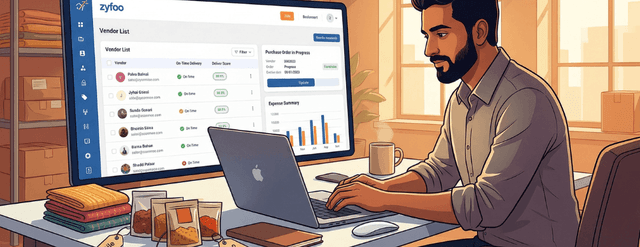
Zyfoo allows you to give your accountant or CA read-only access to your billing section. This means your accountant can pull invoice data directly from your Zyfoo dashboard when preparing GSTR-1 or during a GST audit, without you having to compile and send records manually. The invoice data in Zyfoo aligns with what is reported in your returns, reducing reconciliation time significantly.
Intrastate vs Interstate Invoicing: How Zyfoo Handles It Automatically
One of the most common sources of invoicing errors for online sellers is the distinction between intrastate and interstate sales. The rule itself is straightforward: if the buyer s delivery address is in the same state as your registered place of business, you charge CGST and SGST in equal halves. If the buyer is in a different state, you charge IGST at the combined rate. When you are managing dozens of orders daily with buyers from across the country, manually checking the buyer s state on every order is not a sustainable process. Zyfoo reads the shipping address on each order and determines the correct tax type automatically, applying the right tax split on the invoice without any input from you.
| Transaction Type | Tax Applied |
| Buyer in same state as seller | CGST (half rate) + SGST (half rate) |
| Buyer in different state from seller | IGST (full rate) |
| Export orders | Zero-rated, with export documentation applied |
For example, if your business is registered in Tamil Nadu and a buyer from Karnataka places an order for a product with 18 percent GST, Zyfoo automatically generates an invoice with 18 percent IGST rather than 9 percent CGST and 9 percent SGST. The buyer receives the correct invoice and can claim the right Input Tax Credit without any manual check on your part.
E-Invoicing for Businesses Crossing the Rs. 5 Crore Threshold
If your business has crossed or is approaching Rs. 5 crore in annual aggregate turnover, e-invoicing under GST is no longer optional. Zyfoo s billing system is built to handle the e-invoicing workflow so that this compliance step is part of your normal order flow rather than a separate manual process.
What E-Invoicing Requires
E-invoicing does not replace your regular GST invoice. It adds a verification step where your invoice data is submitted to the government s Invoice Registration Portal, which returns an Invoice Reference Number (a 64-character unique hash) and a QR code. These are then added to the invoice that goes to your buyer. According to the latest GST e-invoicing guidelines, businesses with turnover above Rs. 10 crore must upload invoices to the IRP within 30 days of the invoice date.
How Zyfoo Handles the IRP Submission
When e-invoicing is enabled in your Zyfoo billing settings, the platform handles the IRP submission automatically as part of the invoice generation flow. Your order confirmation triggers invoice creation, the invoice data is submitted to the IRP, the IRN and QR code are received, and the final invoice delivered to your buyer includes both elements. You do not interact with the IRP portal directly for routine invoicing.
Cancellation and Credit Notes Under E-Invoicing
If an invoice needs to be cancelled, the IRP allows cancellation only within 24 hours of IRN generation. Zyfoo surfaces this window clearly so cancellations can be actioned in time. For returns or corrections after the 24-hour window, a credit note is issued through the normal returns flow, which handles the tax reversal in your GSTR-1 records.
How Automated Invoicing Simplifies Your GSTR-1 Filing
GSTR-1 is the monthly return in which you report all outward supplies (sales) made during the month. The data you report must match your invoices exactly. When invoices are generated manually and stored in a separate system from your order records, reconciling the two for GSTR-1 filing is a time-consuming process that creates room for errors. When invoicing is automated within the same platform as your order management, the data is consistent by design. Every invoice in your Zyfoo billing records matches an order in your Zyfoo order management system. Your accountant or CA can export the invoice data in the format needed for GSTR-1 preparation directly from the Zyfoo dashboard, without requiring you to compile records from multiple sources. This also means that if your turnover requires e-invoicing, the e-invoice data auto-populates into your GSTR-1, eliminating one of the most tedious aspects of monthly return preparation.
Common GST Invoicing Mistakes Online Sellers Make and How Automation Prevents Them
- Applying CGST and SGST for an interstate order instead of IGST. Automation prevents this by reading the buyer s state from the delivery address on every order.
- Using the wrong HSN code for a product because the code was applied manually from memory rather than from a verified reference. Automation applies the HSN code from your product configuration, which you verify once during setup.
- Generating an invoice with the same number as a previous invoice because the numbering was managed manually across a team. Automation maintains a single system-controlled number sequence with no human input required.
- Issuing an invoice after the prescribed timeline because invoicing was treated as an end-of-day administrative task. Automation generates the invoice at the moment of order confirmation, regardless of the time of day.
- Failing to issue a credit note when processing a return, leaving the original tax liability on record without a corresponding reversal. Automation links the credit note process to the return approval workflow so the two steps happen together.
- Not including the buyer s GSTIN on a B2B invoice, preventing the buyer from claiming Input Tax Credit. Automation pulls the buyer s GSTIN from their customer profile if it has been entered, and can be configured to prompt for it on B2B orders where it has not been provided.
Why Zyfoo s Approach to GST Invoicing Fits Indian Online Sellers
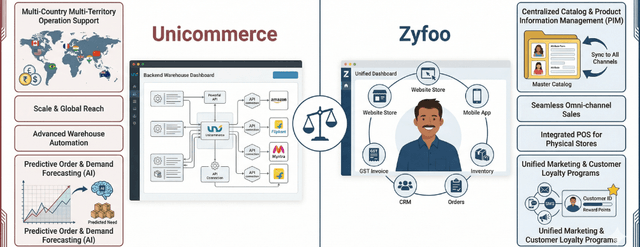
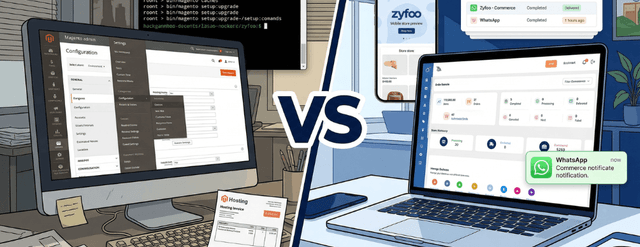
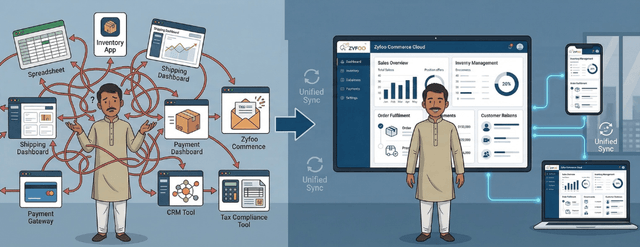
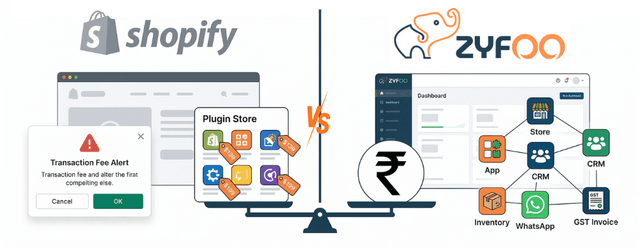
Most ecommerce platforms treat invoicing as an add-on, something you configure by installing a billing app from their marketplace, paying a separate monthly subscription, and then managing the connection between your store and the billing tool yourself. When something breaks in that connection, invoices stop generating and you may not notice immediately. Zyfoo s billing and invoicing system is part of the same platform as your store, your order management, your inventory, and your CRM. There is no external app to install, no separate subscription to manage, and no connection to maintain between a billing tool and your order pipeline. When an order is confirmed, the invoice is generated within the same system that recorded the order. This integration also means that when you or your accountant needs to pull invoice records for a specific period, for GSTR-1 filing, for an audit, or for a business loan application, the data is available in one place and consistent with your order history. You are not reconciling records from two separate systems that occasionally get out of sync. For Indian sellers managing the full compliance cycle from invoice generation to GSTR-1 filing to e-invoicing for higher-turnover businesses, the Zyfoo Commerce Cloud billing module is designed to handle each of these steps as a connected workflow rather than a set of separate tasks. You can also explore how Zyfoo compares to other platforms in handling Indian commerce requirements in the Zyfoo vs Shopify comparison to understand where the platform sits for your specific invoicing and billing needs.