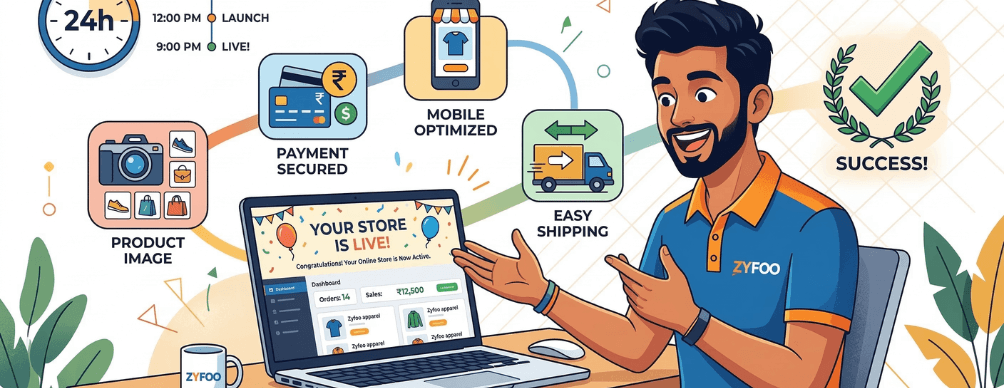
The idea of launching an online store used to feel like a project. You would spend weeks picking a platform, hiring a developer to set it up, waiting for payment gateway approvals, figuring out how to upload products, and then testing the whole thing before a single customer could place an order. By the time you were live, the initial excitement had faded and you were already behind the business timeline you had imagined. That version of launching an online business is no longer the only option. With the right platform, a motivated founder can go from idea to a fully operational, payment-enabled, mobile-ready online store within a single day. This guide walks you through exactly how that happens with Zyfoo, step by step, in plain language. If you have a product to sell, a business name, and a few hours of focused time, you have everything you need to be live before tomorrow.
What You Need Before You Start
No technical background is required to launch your store with Zyfoo. Before you begin the setup process, make sure you have the following ready. Most of these are things any business owner already has or can prepare in under an hour.
| What You Need | Why It Matters |
| Business name and logo (even a simple one) | Appears on your store, invoices, and mobile app |
| Product photos and descriptions | The foundation of every product listing |
| Bank account or UPI ID for payments | Required to receive customer payments |
| GST number (if applicable) | Needed for tax-compliant invoicing |
| Shipping preference or courier tie-up | So you know how orders will reach customers |
If you do not have a professional logo yet, a simple text-based one works fine to start. You can always update it later without rebuilding the store. The goal today is to get live, not to achieve perfection before your first order.
Your Step-by-Step Launch Guide
1. Create Your Zyfoo Account and Set Up Your Brand
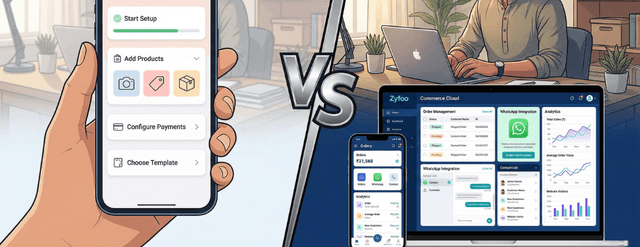
Go to zyfoo.tech and sign up with your business email. Once inside your dashboard, upload your business name, logo, and brand colors. This information flows automatically to your website store, your mobile app, your invoices, and your customer-facing communications. You set it once and it appears everywhere consistently.
2. Add Your Products
Navigate to the Products section in your Zyfoo dashboard. For each product, you will add a name, description, price, and at least one photo. If you are selling multiple variants of the same product, such as different sizes or colors, Zyfoo handles variants within a single product listing so you do not have to create separate entries for each option. Batch upload is available if you are moving an existing catalog from another platform or a spreadsheet.
3. Set Up Your Payment Options
Zyfoo supports the payment methods your Indian customers already use, including UPI, net banking, credit and debit cards, and popular wallets. Connect your bank account and your payment gateway credentials in the Payments section. Zyfoo works with leading Indian payment processors so the integration does not require any technical configuration from your side.
Decide how orders will reach your customers. You can set up free shipping above a certain order value, charge a flat delivery fee, or configure location-based rates. If you have a courier tie-up already, you can connect it here. If you are just starting out, Zyfoo s built-in shipping integrations connect you to reliable courier partners without requiring a separate account setup on their platform.
5. Customize Your Store Design
Your Zyfoo website store comes with clean, mobile-responsive design templates that are ready to use without any coding. Choose a layout, set your brand colors, add a banner image for your homepage, and organize your product categories. The design editor is visual, meaning you can see exactly what your store looks like as you make changes. This step typically takes between 30 and 60 minutes for most first-time founders.
6. Set Up Your Mobile App
One of the things that separates Zyfoo from most no-code store builders is that your mobile app is built alongside your website store automatically. As you add products and configure your store, the same content appears in your app. You do not need to build the app separately or maintain two separate systems. Your customers can download your branded app and shop from their phones from day one.
7. Test Before You Go Live
Place a test order yourself before flipping the switch to live. Check that your product images load correctly, the payment process completes without errors, and the order confirmation reaches the email address you entered. Check the mobile app experience on your own phone. This 20-minute check prevents the most common early issues that new store owners encounter.
8. Go Live and Share Your Store
Once you are satisfied with your test, set your store status to Live in your Zyfoo dashboard. Your store URL and your app are now publicly accessible. Share your store link on WhatsApp with your existing contacts, post on your social media pages, and send your first few customers directly to the product they are most likely to buy. Your first order could arrive the same day.
What Happens Automatically Once You Are Live
A common concern among first-time online store founders is that going live means they now have a long list of ongoing technical tasks to manage. With Zyfoo, most of the operational work that would otherwise fall on you is handled automatically by the platform.
Order Notifications
The moment a customer places an order, you receive a notification in your Zyfoo dashboard and on your phone. Your customer simultaneously receives an order confirmation. No manual message needs to be sent by anyone on your team.
Inventory Tracking
Every sale automatically deducts from your inventory count. If a product goes out of stock, it is flagged in your dashboard and can be set to stop showing as available on your storefront automatically, so customers are never able to order something you cannot fulfil.
Customer Records
Every buyer who places an order is added to your Zyfoo CRM, creating a purchase history that you can use to send follow-up messages, promote new products, and run re-engagement campaigns later. You do not have to manually maintain a customer list.
GST Invoices
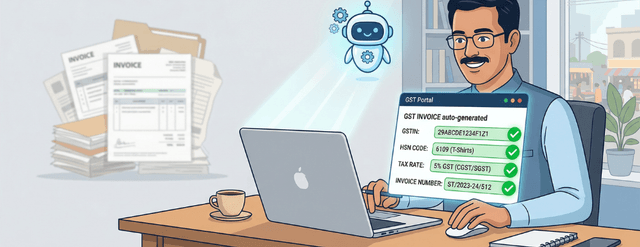
Each confirmed order generates a GST-compliant invoice automatically, formatted to Indian tax requirements. This removes one of the most time-consuming administrative tasks that small business owners face when they start selling online.
Zyfoo vs the DIY Route: What the Difference Looks Like
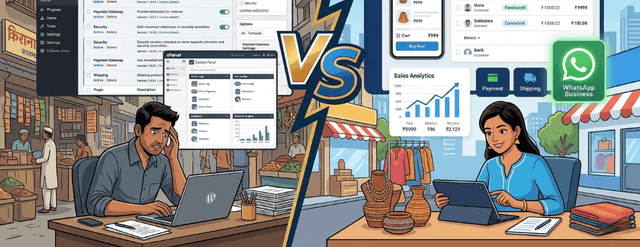
Many first-time founders consider building their store manually using a combination of free or low-cost tools stitched together. Here is how that approach compares with launching on Zyfoo.
| What You Need to Set Up | DIY Approach | With Zyfoo |
| Website store | Hire developer or learn WordPress | Ready in hours, no coding |
| Mobile app for customers | Separate development, high cost | Included, launches with your store |
| Payment integration | Apply separately, wait for approval | Built-in, activate in minutes |
| Inventory management | Separate tool or spreadsheet | Built into the same dashboard |
| Order management | Manual tracking via email or WhatsApp | Automated dashboard and notifications |
| GST invoicing | Separate billing software | Auto-generated per order |
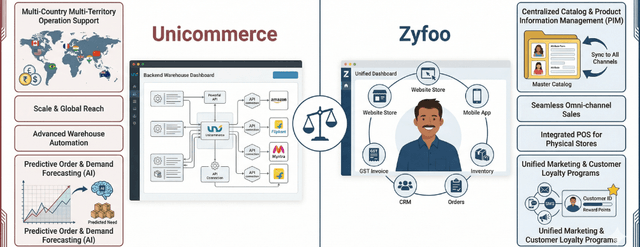
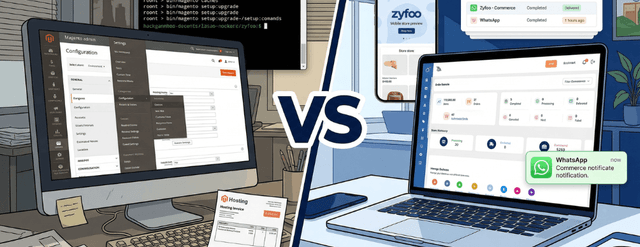
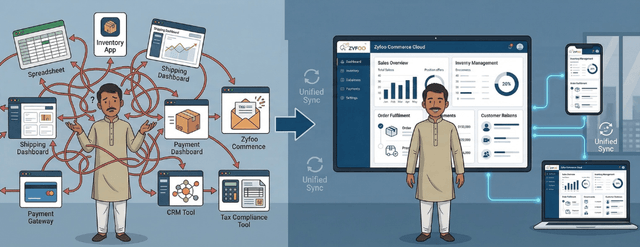
The DIY approach can take weeks, involves managing multiple tool subscriptions, and requires either technical knowledge or a budget for a developer. The end result is also a set of disconnected tools rather than a unified system, which means you will face data sync problems as your business grows.
Tips for Getting Your First Orders Fast
Going live is the beginning, not the finish line. The way you promote your store in the first 48 hours determines whether you receive your first orders quickly or wait longer than you need to.
Start With Your Existing Network
Your first customers are almost always people who already know you. Send your store link directly to friends, family, and professional contacts via WhatsApp. Give them a specific reason to buy, such as a launch discount or a limited-time free delivery offer. A personal message converts far better than a group broadcast.
Set Up WhatsApp Commerce Integration
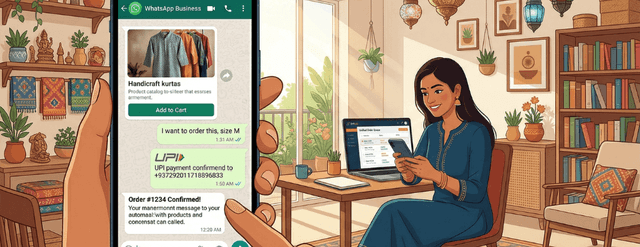
Zyfoo supports WhatsApp integration so your customers can browse products and place orders through WhatsApp without leaving the app. For Indian customers, this dramatically lowers the friction to the first purchase. Many buyers feel more comfortable placing their first order through a familiar channel before they trust an unfamiliar website. You can read more about this in the Zyfoo WhatsApp Commerce guide.
Share Individual Product Links, Not Just Your Homepage
When you promote on social media or WhatsApp, link directly to the specific product you are promoting. Sending someone to your homepage and asking them to find the product themselves adds unnecessary steps and reduces the chance they complete a purchase.
Turn On Low-Stock Notifications
Set low-stock alerts in your inventory settings so you are never caught with a product that runs out while customers are still placing orders. Running out of stock without warning is one of the most common early problems new online stores face.
Common Mistakes First-Time Store Owners Make and How to Avoid Them
The most avoidable problems in a new online store come down to a handful of recurring patterns. Knowing them in advance saves you the frustration of discovering them after your first customer tries to buy.
- Uploading product photos that are too dark or low-resolution. Use natural light and photograph against a clean, neutral background. Product photos are the closest thing your customer has to holding the product in their hands.
- Writing product descriptions that only list features. Include what the product does for the customer, not just what it is. A buyer wants to know why they should choose your product, not just what it contains.
- Setting delivery expectations you cannot meet. Be honest about how long shipping takes. An order that arrives on time builds trust. An order that arrives late after a promised delivery date damages it, even if the product itself is excellent.
- Not testing the payment flow before going live. Always place at least one test order from the customer side to confirm that the end-to-end journey works the way you expect.
- Trying to perfect the store before launching. A store with ten well-photographed products that is live beats a store with fifty products that is still in preparation. You can add more products after your first sale.
What Comes After Day One
Launching your store in one day is the beginning of a business, not the entirety of it. Once you are live and your first orders start coming in, Zyfoo grows with you. As your product range expands, your order volume increases, and your customer base builds, the same platform handles all of it without requiring you to migrate to a new tool or hire a developer to extend your capabilities. You can explore features like Zyfoo s order management system as your daily order count grows, use the built-in CRM to run customer retention campaigns once you have your first few dozen buyers, and connect your accounting tools once your monthly volume justifies it. Each of these features is available within the same dashboard you used on day one. Indian brands like Ulamart started their digital journey and scaled their operations using a unified commerce platform. The same path is available to you from the moment your store goes live today. India is one of the fastest-growing ecommerce markets globally, with millions of new buyers coming online each year. The opportunity for a new store that launches today is larger than it has ever been. The only decision left is whether you launch today or wait for a more convenient time that may never come.